M10 Notification for University Enrollment in Germany with Private Health Insurance
27 March 2026
If your university sends you an email asking for electronic health insurance proof and you already have private health insurance like MAWISTA Expatcare, here is what you need to do. You must contact a German statutory health insurance company such as TK and apply for an exemption. After they approve it, TK will send the M10 notification directly to your university
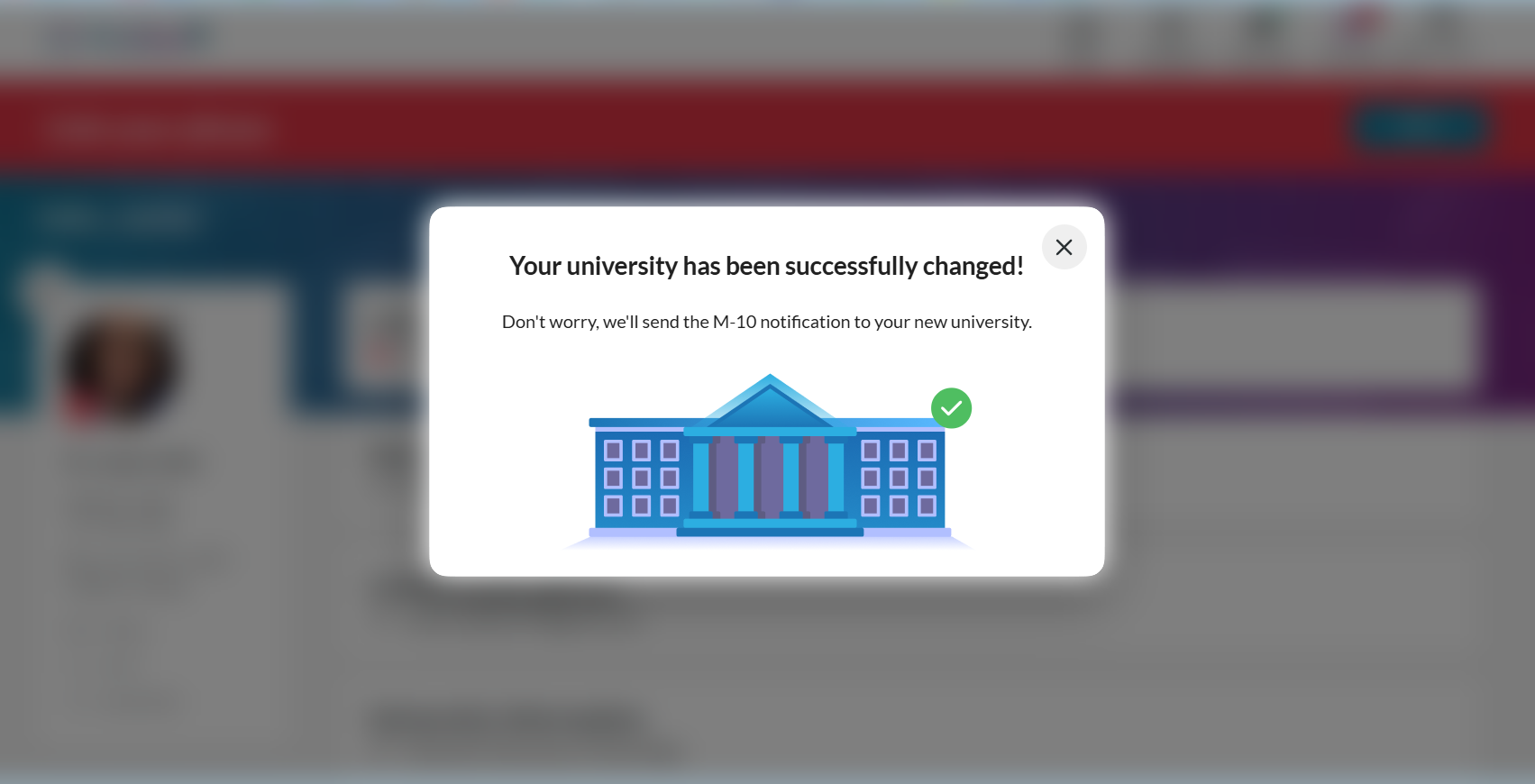
If you use Fintiba, you might see a message after updating your university details that says they will send the M10 notification to your new university. This depends on the type of insurance you have. If you have private health insurance like MAWISTA, Fintiba cannot send the M10. Only a statutory health insurance company such as TK can do that. So, you need to complete the exemption process yourself with TK and upload your MAWISTA certificate. If you already chose a public health insurance option when creating your Fintiba account, then Fintiba can coordinate with that insurer, and the M10 will be sent automatically.
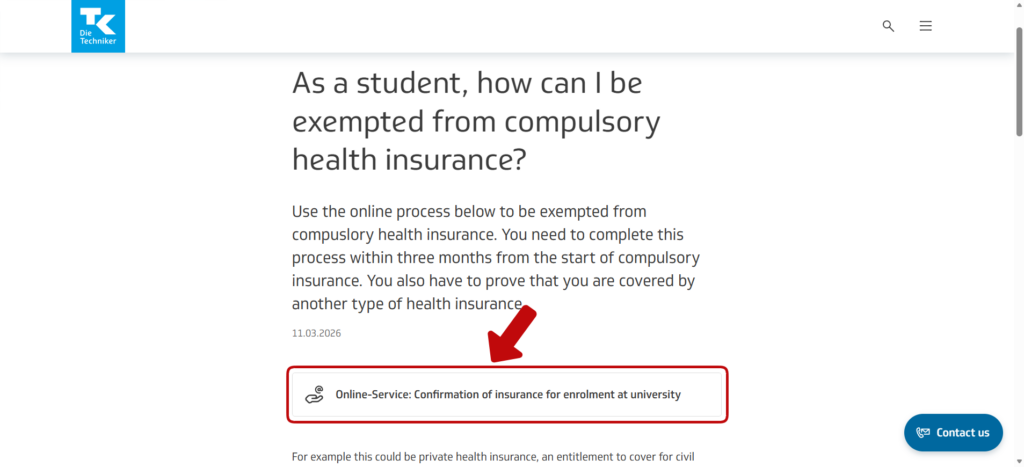
Go to the TK Exemption Page Start by visiting TK’s official page for students. This is where you apply for exemption if you already have private health insurance like MAWISTA.
Begin the Online Form Click on the link to the online service called “Confirmation of insurance for enrolment at university.
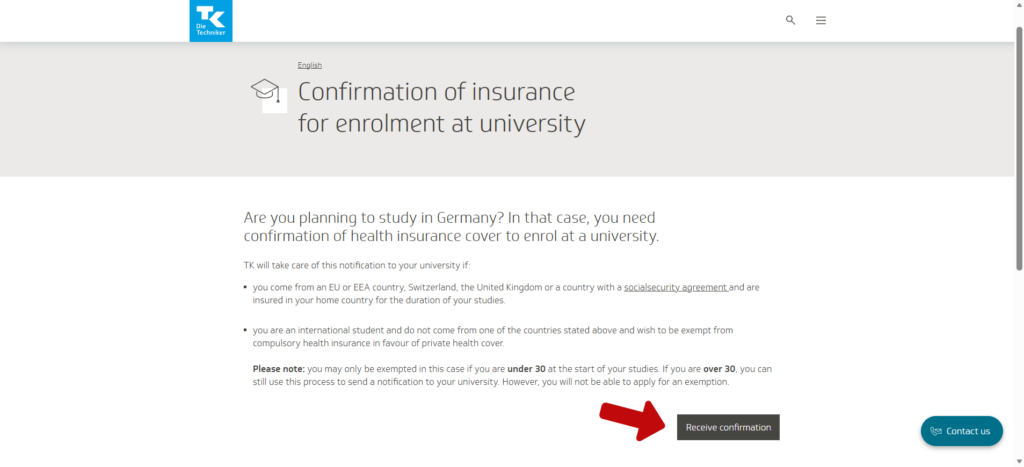
you will see the page titled “Confirmation of insurance for enrolment at university.” On this page, press the button “Receive confirmation.” This will start the online form where you can apply for exemption
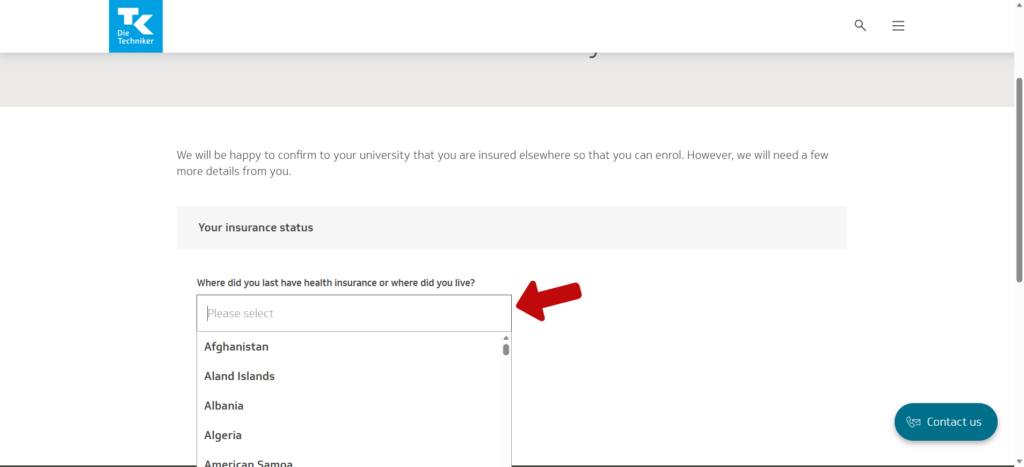
Select Your Last Country of Residence Choose the country where you last lived and had healthcare access.
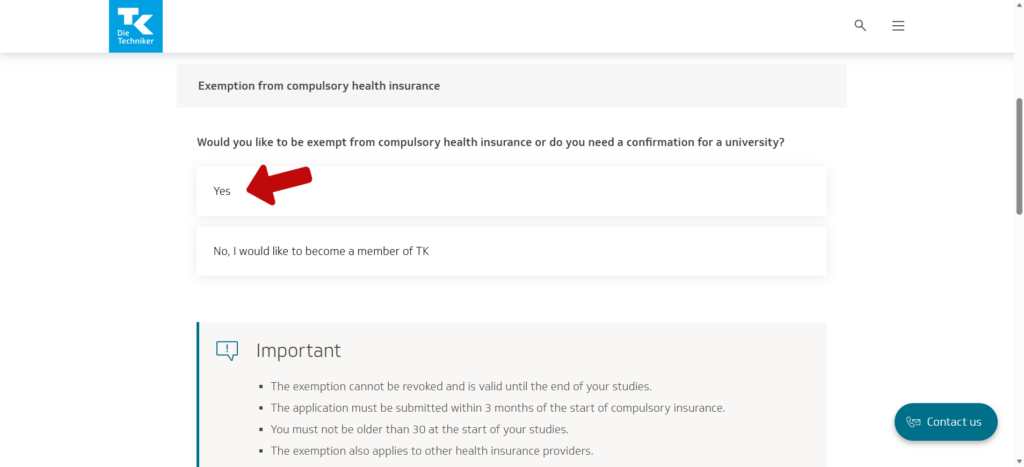
Choose Exemption When asked if you want TK membership, select Yes if you already have private insurance. This means you’re applying for exemption.
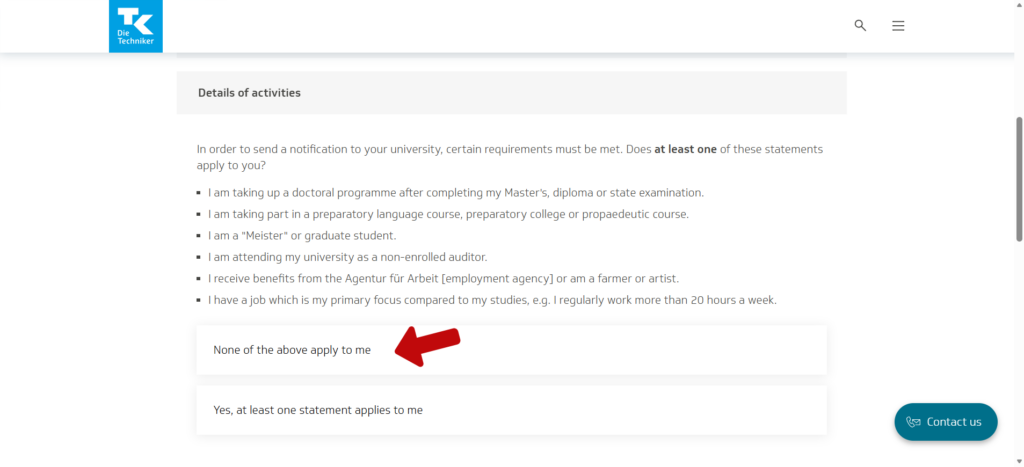
Confirm Your Situation Select “None of the above apply to me” unless you fall into one of the special categories listed.
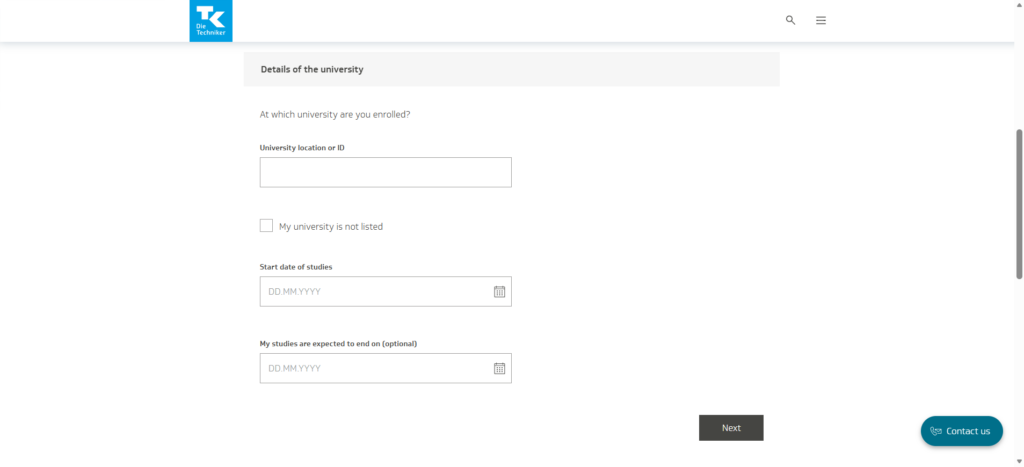
Details of the university Enter your university details and the start date of your studies.
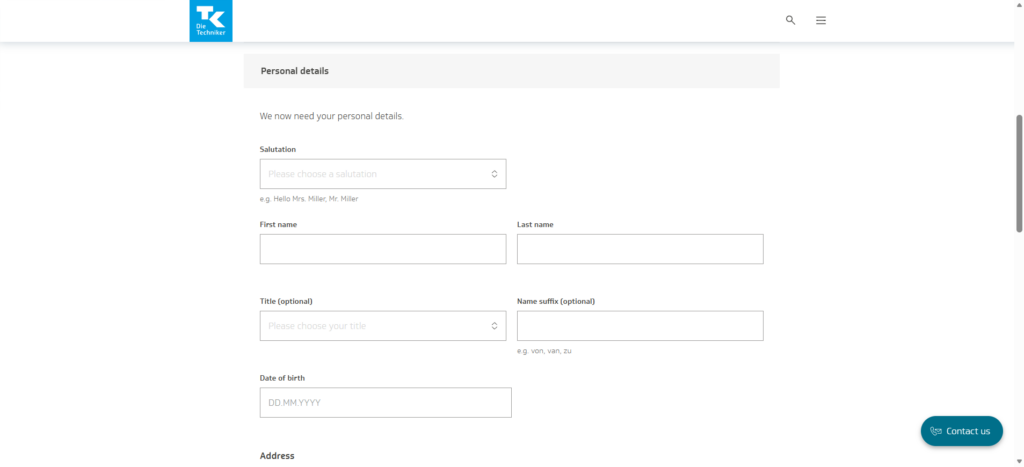
Personal details Enter your name, salutation, and date of birth exactly as they appear on your passport and address.
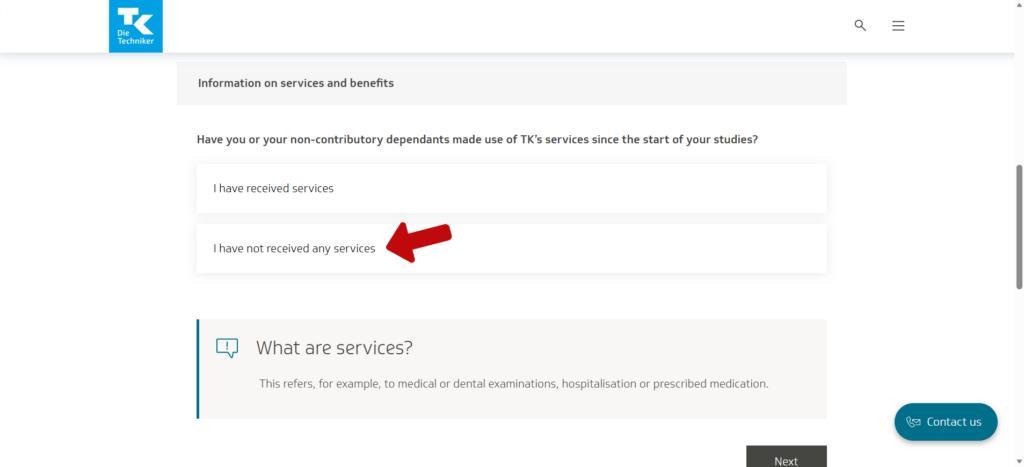
Confirm You Haven’t Used TK Services Select “I have not received any services.”
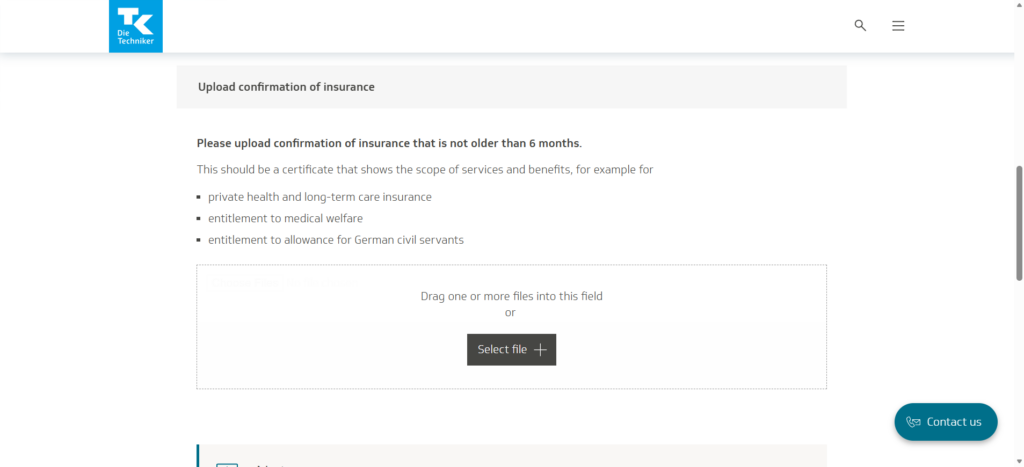
Upload Your Private Insurance Certificate Upload the MAWISTA Insurance Confirmation PDF (must be less than 6 months old).
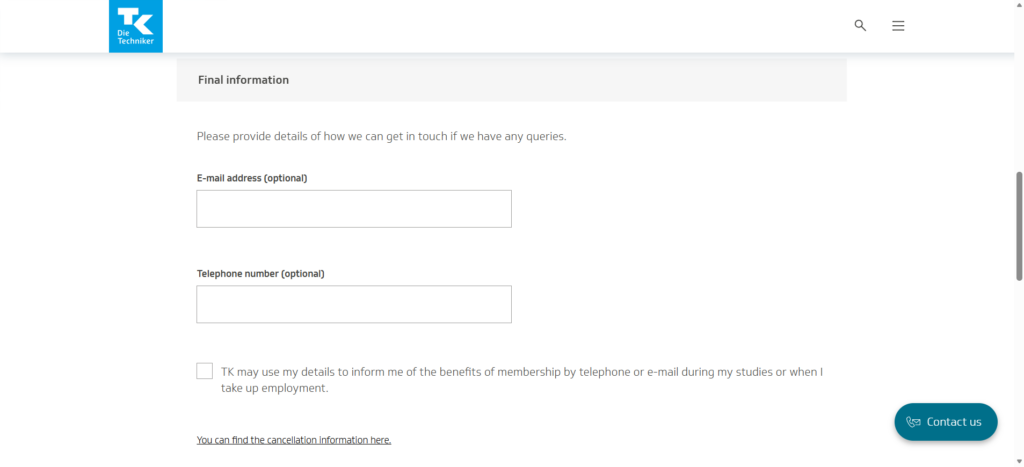
Provide Contact Information (Optional) You can add your email and phone number (international format if outside Germany).
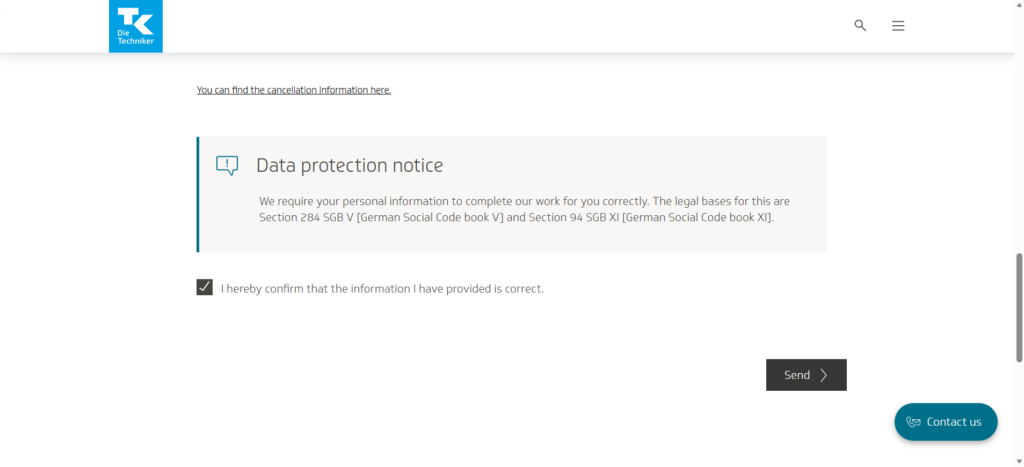
Review and Send
Tick the confirmation box, agree to data protection, and click Send
Once TK has reviewed your application, they will notify your university directly and send you a written exemption confirmation by post. At that stage, your enrollment requirements are complete, and no further action is needed.